Gemini Watermark Remover
ใช้เทคโนโลยี AI เพื่อลบลายน้ำออกจากรูปภาพด้วยการคลิกเดียว
รับผลลัพธ์ที่สะอาดและเป็นมืออาชีพภายในไม่กี่วินาที
- Secure processing
- Files auto-deleted
- No credit card required
Drop your image here
or click to browse
JPG · PNG · WEBP · BMP · up to 10MB
Processed securely — files are deleted automatically
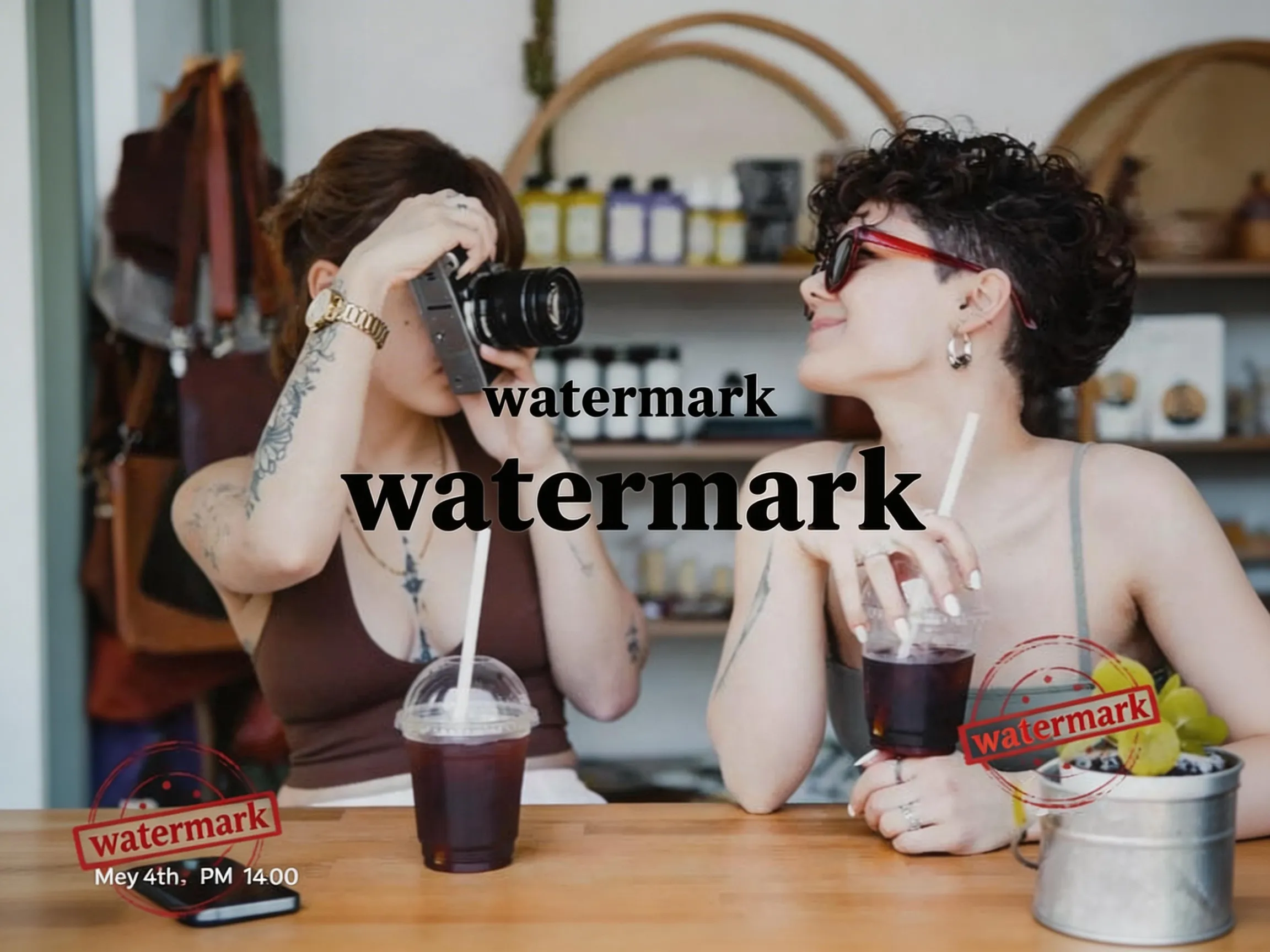

Example: watermark removed
WatermarkRemover สามารถทำอะไรได้บ้าง?
WatermarkRemover รองรับรูปแบบหลักทั้งหมดและสามารถประมวลผลลายน้ำและองค์ประกอบที่ไม่ต้องการได้หลายประเภท
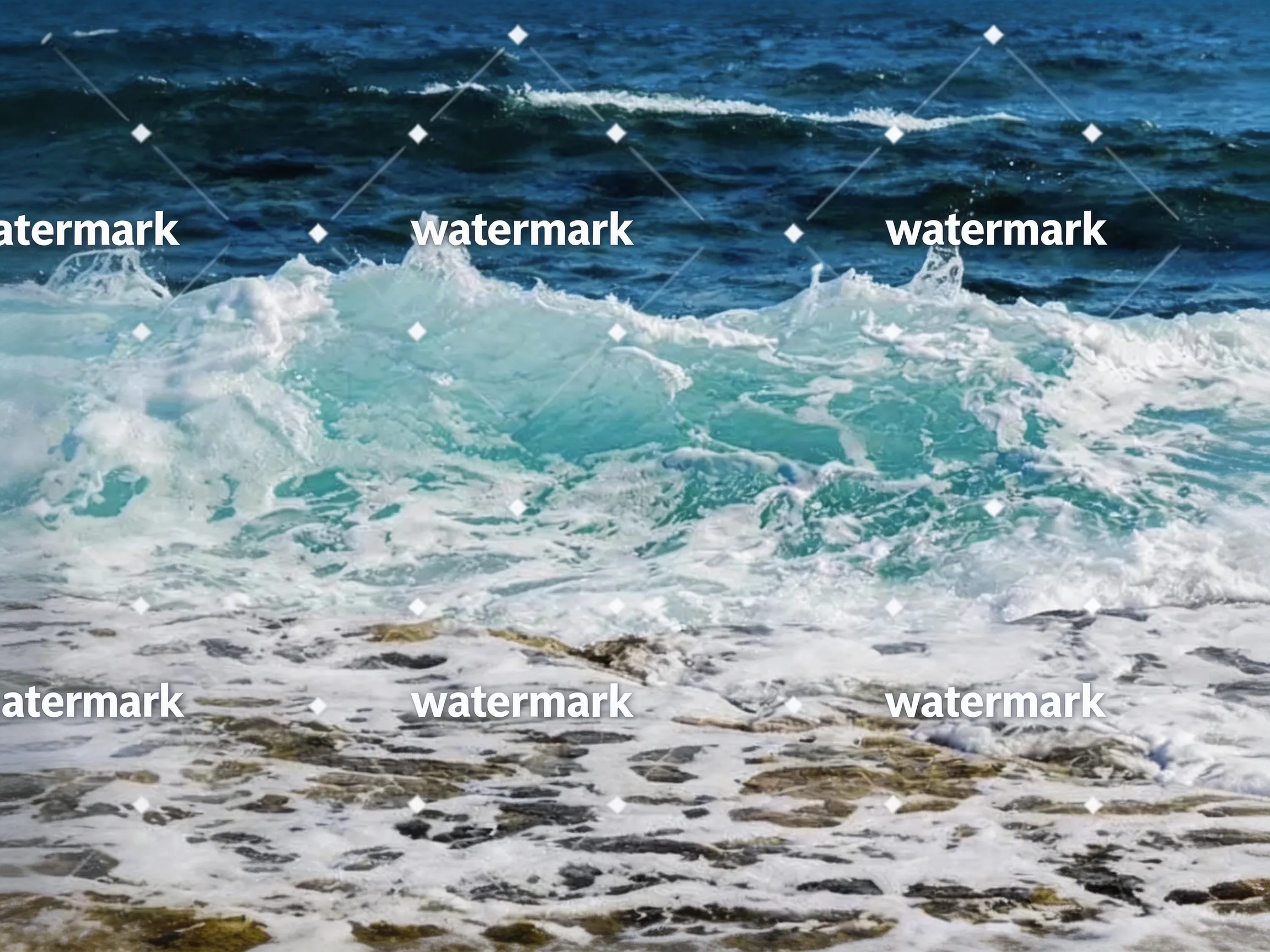 Before
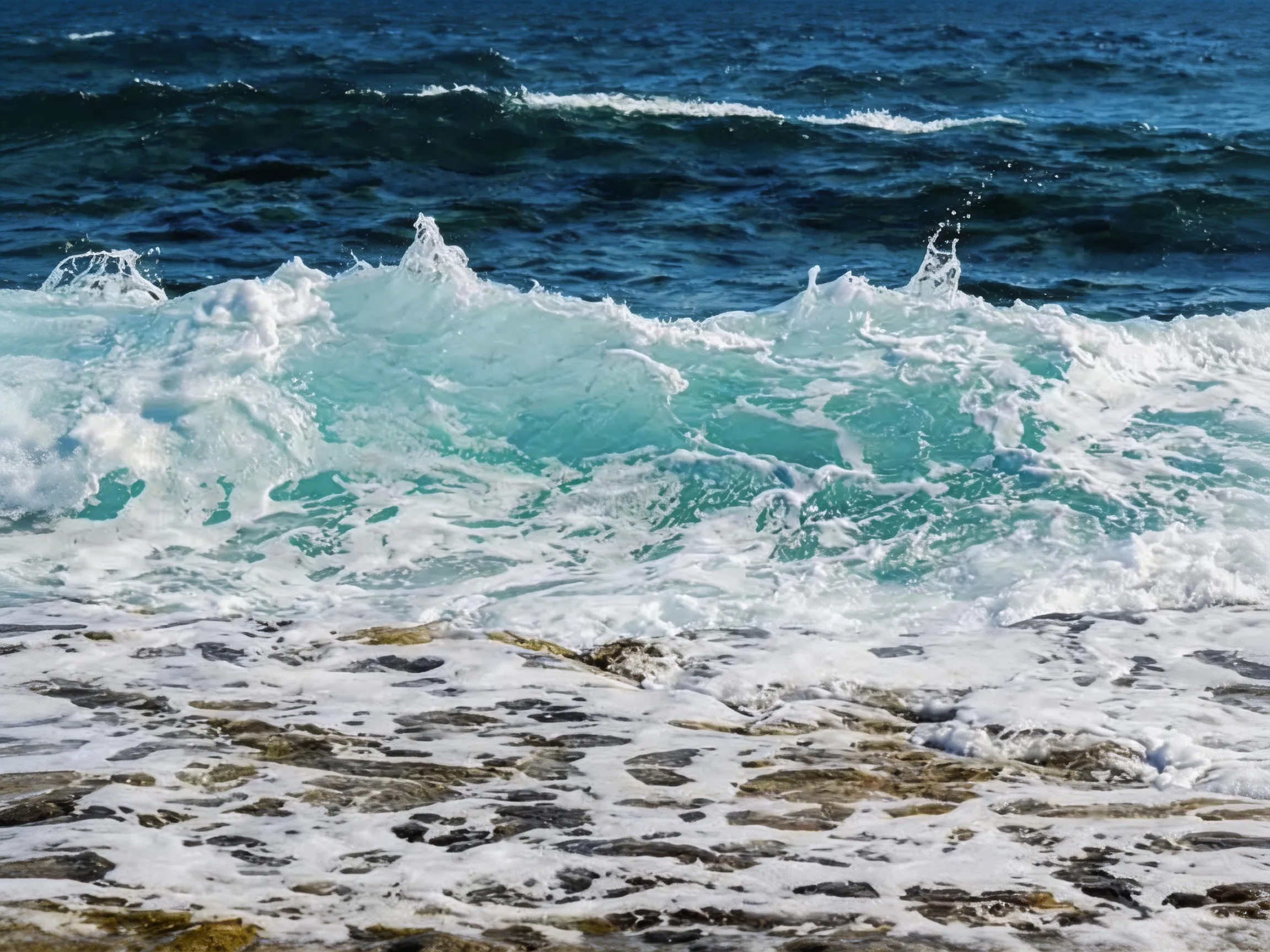 After
การลบข้อความ
ลบข้อความและคำอธิบายที่ไม่ต้องการ
 Before
 After
การลบวัตถุ
ลบวัตถุและองค์ประกอบที่ไม่ต้องการ
BeforeAfterลายน้ำรูปภาพ
ลบโลโก้ ข้อความ และองค์ประกอบอื่นๆ ที่ไม่ต้องการ
ประโยชน์หลัก
ทำไมต้องเลือกเครื่องมือลบลายน้ำของเรา
ใช้เทคโนโลยี AI ล้ำสมัยเพื่อการลบลายน้ำระดับมืออาชีพ
ผลลัพธ์ทันที
การลบลายน้ำเสร็จสิ้นในไม่กี่วินาที ไม่ใช่หลายชั่วโมง การประมวลผล AI ของเราเร็วมาก
ผลลัพธ์คุณภาพสูง
ลบลายน้ำอย่างสมบูรณ์ในขณะที่รักษาคุณภาพของรูปภาพต้นฉบับ
ความเป็นส่วนตัวและความปลอดภัย
รูปภาพได้รับการประมวลผลอย่างปลอดภัยบนเซิร์ฟเวอร์ของเราและถูกลบภายใน 24 ชั่วโมง และไม่ถูกใช้เพื่อฝึกโมเดล
ฟีเจอร์ที่ทรงพลัง
ฟีเจอร์ทั้งหมดที่คุณต้องการสำหรับการลบลายน้ำระดับมืออาชีพ
การตรวจจับอัจฉริยะด้วย AI
AI อัจฉริยะตรวจจับลายน้ำได้โดยอัตโนมัติไม่ว่าจะเป็นประเภท ขนาด หรือตำแหน่งใดก็ตาม
รองรับหลายรูปแบบ
รองรับรูปแบบรูปภาพทั่วไปเช่น JPG, PNG, WEBP
รักษาคุณภาพ
อัลกอริธึมขั้นสูงรับประกันว่าคุณภาพของรูปภาพจะยังคงสมบูรณ์แบบ
การประมวลผลที่รวดเร็ว
รับผลลัพธ์ภายในไม่กี่วินาทีผ่านไปป์ไลน์การประมวลผลที่ได้รับการปรับปรุง
ปลอดภัยและเป็นส่วนตัว
รูปภาพได้รับการประมวลผลอย่างปลอดภัยและถูกลบโดยอัตโนมัติหลังจากดาวน์โหลด
ใช้งานง่าย
อินเทอร์เฟซลากและวางที่เรียบง่าย ไม่จำเป็นต้องมีทักษะทางเทคนิค
Before and after
Drag the slider to compare — AI inpainting reconstructs the pixels under the mark.
Erase stickers and unwanted objects — the background is rebuilt automatically.
Drag the handle to compare
Clear pricing, clear limits
- Free removals on signup
- 3Free removals on signup
- Starting monthly price
- $9.9Starting monthly price
- Maximum image size
- 10MBMaximum image size
- Automatic image deletion
- 24hAutomatic image deletion
ราคา
ราคาที่เรียบง่ายและโปร่งใส
เลือกแผนที่เหมาะสมกับความต้องการของคุณ ไม่มีค่าใช้จ่ายที่ซ่อนอยู่
Basic
เหมาะสำหรับการใช้งานส่วนบุคคล
- ลบลายน้ำ 50 ครั้งต่อเดือน (600 ครั้ง/ปีสำหรับแพ็กเกจรายปี)
- JPG, PNG, WEBP และ BMP ขนาดไม่เกิน 10 MB
- การประมวลผล AI มาตรฐาน
- การสนับสนุนทางอีเมล
- ประมวลผลครั้งละหนึ่งรูป
Pro
สำหรับมืออาชีพ
- ลบลายน้ำ 200 ครั้งต่อเดือน (2,400 ครั้ง/ปีสำหรับแพ็กเกจรายปี)
- ทุกฟีเจอร์ของ Basic
- การสนับสนุนอีเมลลำดับความสำคัญ
- ประมวลผลครั้งละหนึ่งรูป
- เครดิตมีอายุภายในรอบบิลปัจจุบัน
Enterprise
สำหรับทีมและองค์กร
- ลบลายน้ำ 500 ครั้งต่อเดือน (6,000 ครั้ง/ปีสำหรับแพ็กเกจรายปี)
- ทุกฟีเจอร์ของ Pro
- การสนับสนุนอีเมลลำดับความสำคัญ
- ประมวลผลครั้งละหนึ่งรูป
- เครดิตมีอายุภายในรอบบิลปัจจุบัน
คำถามที่พบบ่อย
มีคำถาม? เรามีคำตอบ ติดต่อเราหากคุณต้องการความช่วยเหลือเพิ่มเติม
Use cases
Watermark removal, by use case
Step-by-step guides for the most common image jobs — formats, objects, platforms, and tools.
Remove Watermark from Video — Frame by Frame with AI
Remove watermarks from videos using our frame-by-frame AI workflow. Extract frames from your video (MP4, MOV, AVI), upload them to our AI remover for AI watermark removal, then reassemble into a clean video. Works with TikTok, YouTube, Instagram, and Sora watermarks. No blur, just AI inpainting that reconstructs the pixels underneath.
/remove-watermark-from-videoRemove Watermark from Photo Online
Got a stock photo with a visible watermark, or a screenshot carrying someone's social handle? Our AI photo watermark remover reconstructs the underlying pixels and gives you back a clean, share-ready photo in seconds. No Photoshop, no selection brush, no credit card.
/remove-watermark-from-photoRemove Watermark from PNG Images
PNG is common for screenshots, design exports, and images with transparency. Our AI PNG watermark remover rebuilds the area under the watermark. Note that the processed result is a newly generated image file: if your PNG relies on transparency outside the watermark, check the output before using it.
/remove-watermark-from-pngRemove Text from Any Image
Burned-in captions on memes, watermarks on stock photos, timestamps on old scans, social handles on screenshots — text overlays ruin otherwise usable images. Our AI text eraser detects text regions and rebuilds the background underneath, leaving no blur boxes and no smudges.
/remove-text-from-imageRemove Watermark from JPG Files
JPG is still the most common format for photos on the web — which also makes it the format most often saddled with visible watermarks. Our AI removes the overlay and reconstructs the area beneath it. The output keeps the source resolution but is a newly generated image file, so EXIF metadata from the original is not carried over.
/remove-watermark-from-jpgRemove Watermark from WebP Images
WebP is a common format for the web because of its small file size. The uploader accepts WebP input, and the AI reconstructs the area under the watermark. The result is returned as a newly generated image file rather than being re-encoded as WebP, so convert it back to WebP in your own tool if your pipeline requires that format.
/remove-watermark-from-webpRemove Logo from Photo Online
Logos are trickier than text watermarks — they often have semi-transparent backgrounds, complex shapes, and sit over detailed content. Our AI logo remover detects the logo's shape and rebuilds the underlying pixels, whether the logo is a corner badge on a product photo or a giant brand overlay across the middle.
/remove-logo-from-photoRemove Date Stamp from Photo
Almost every film-era digital camera burned an orange or yellow date stamp into the corner of photos. Decades later, those stamps ruin otherwise charming throwback pictures. Our AI timestamp remover detects the date text and rebuilds the photo underneath — great for digitized prints, scanned family albums, and old camera phone shots.
/remove-timestamp-from-photoRemove Caption from Image
Captions, subtitles, and annotation text burned into an image are useful when you need them — and a pain when you don't. Meme top/bottom text, hardcoded video subtitles grabbed as screenshots, PDF annotation overlays: our AI caption remover finds the text region and rebuilds the image underneath so you can repurpose the underlying photo.
/remove-caption-from-imageFrom the blog
Product updates, guides, and engineering notes from the team.
How to Remove a Watermark from a Photo (Without Ruining It)
A practical, step-by-step guide to removing watermarks, logos, timestamps, and captions from photos — what works, what damages the image, and how AI inpainting changes the math.
 WatermarkRemover Team
AI Image Watermarks Explained: Gemini, Sora, and What You Can Remove
AI images often ship with two kinds of watermark — a visible corner badge and an invisible provenance signal. Here is the difference, and when removing one is safe and legal.
WatermarkRemover TeamRelated watermark removal guides
Format-specific guides for common image, video, and document jobs
GIF
Remove watermarks from animated GIFs, frame by frame
Read guideVideo
Extract frames from MP4, MOV, or AVI, clean each frame, then reassemble
Read guidePhoto
Remove watermarks from any photo format (JPG, PNG, WEBP)
Read guideExport PDF pages as images, clean each page, then rebuild the PDF
Read guide